
Your intelligent second memory.
Say it, type it or share it. Yvo turns it into notes, tasks and reminders, saved as plain Markdown on your iPhone.
You're on the list.
Preview only. No email was sent.


Say it the way you’d say it.
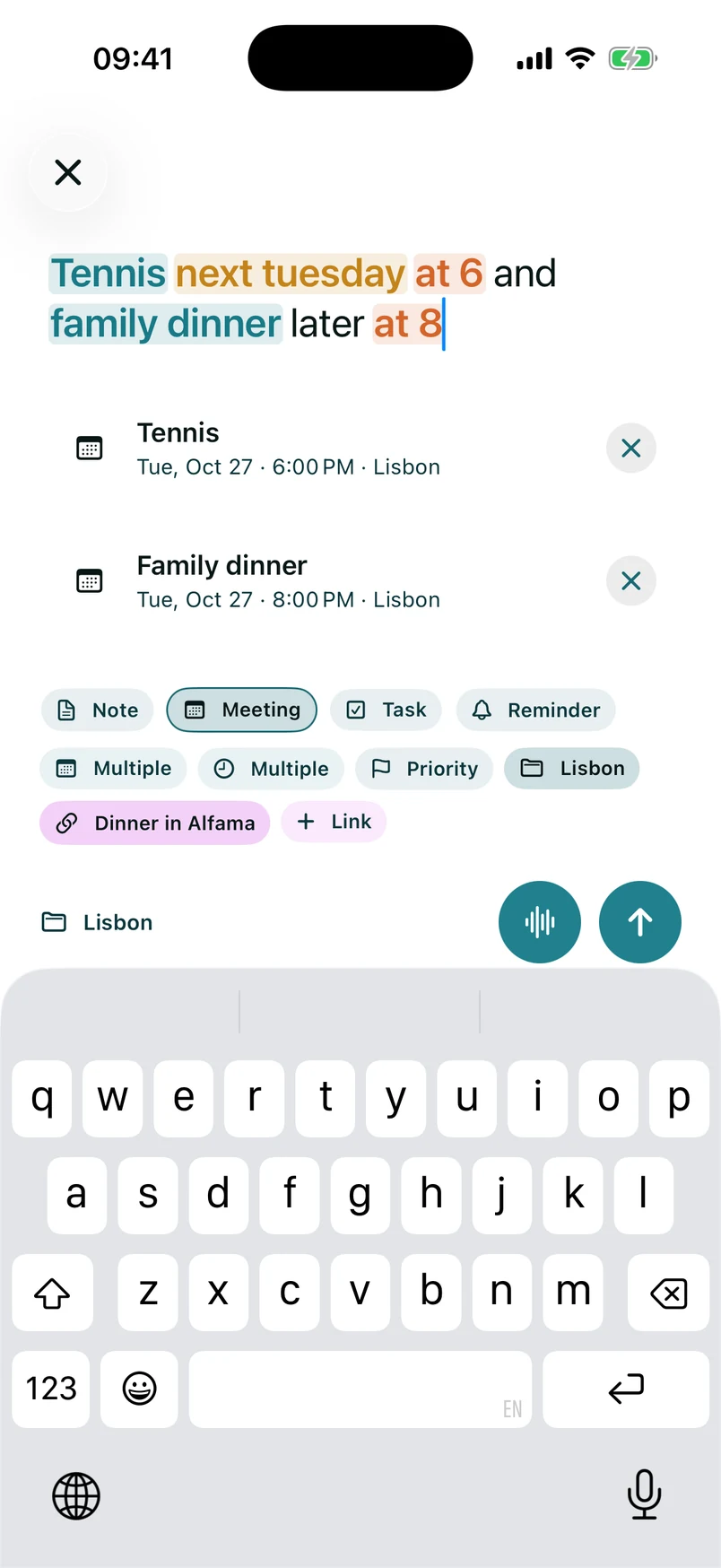
Type “Tennis next Tuesday at 6 and family dinner later at 8” and Quick Add splits it into two events, picks out the day and both times and puts them on your calendar. “Buy more rice and milk” becomes a task. You check it and tap once.
- Type it. Plain text works. Yvo still finds the date.
- Say it. On-device speech, so your voice stays on your iPhone.
- Share it. Links, photos, documents and voice memos from any app, with Premium.
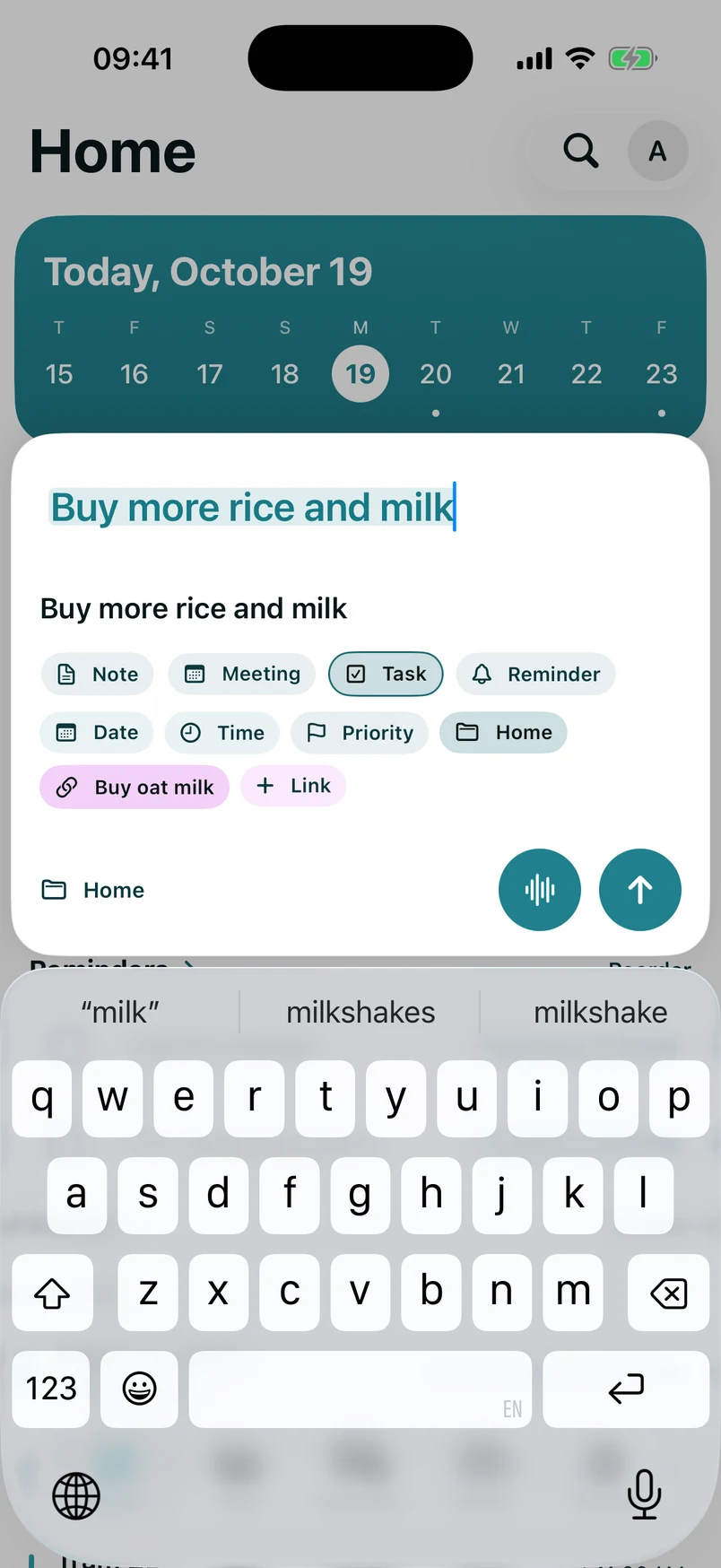
Everything finds its place.
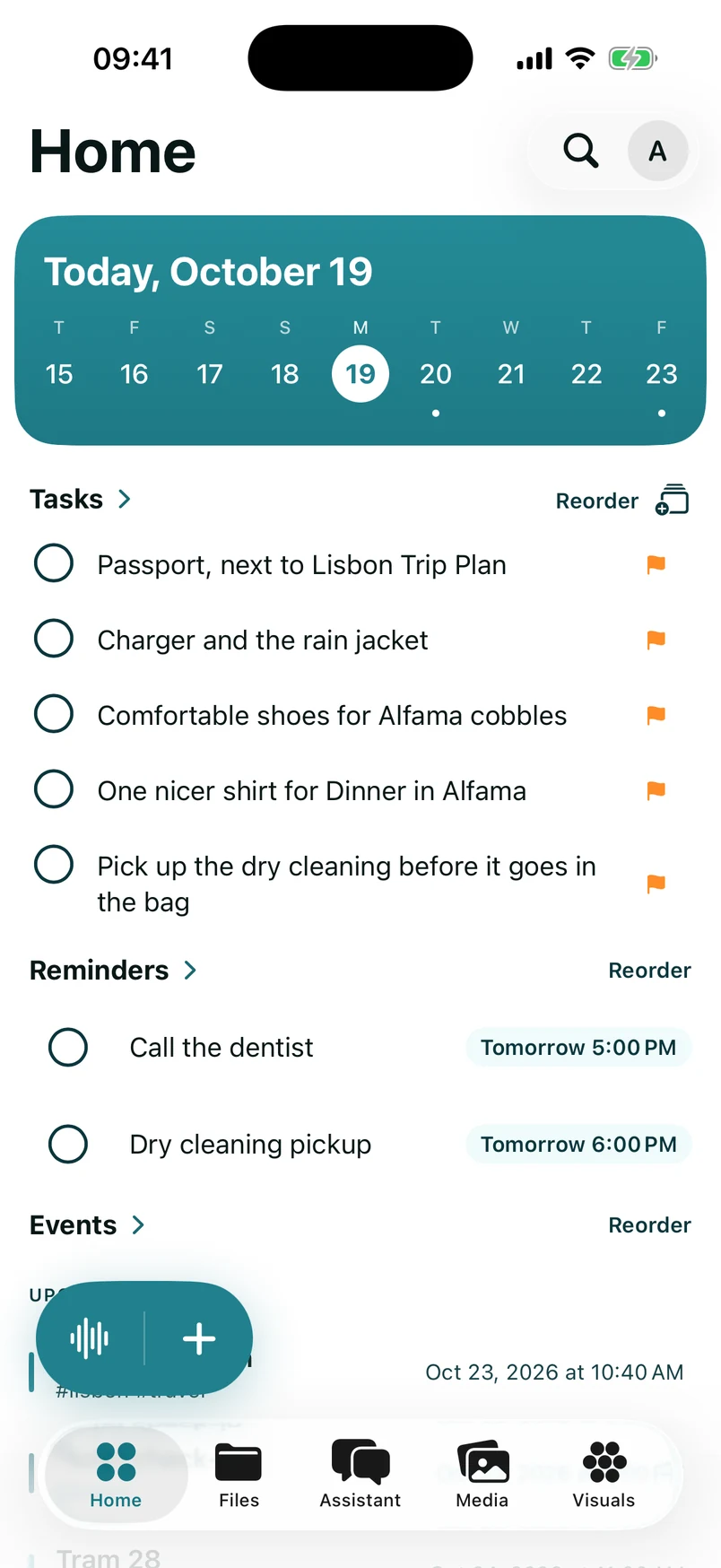
Your day, your folders and your notes in one calm app. Today’s tasks and reminders wait on Home. Every note sits in folders and tags you control, and typing [[ links one note to another.
- Notes, tasks, reminders and events in one vault.
- A wiki and an archive for links and pages you want to keep.
- A calendar built from what you wrote, not another account.
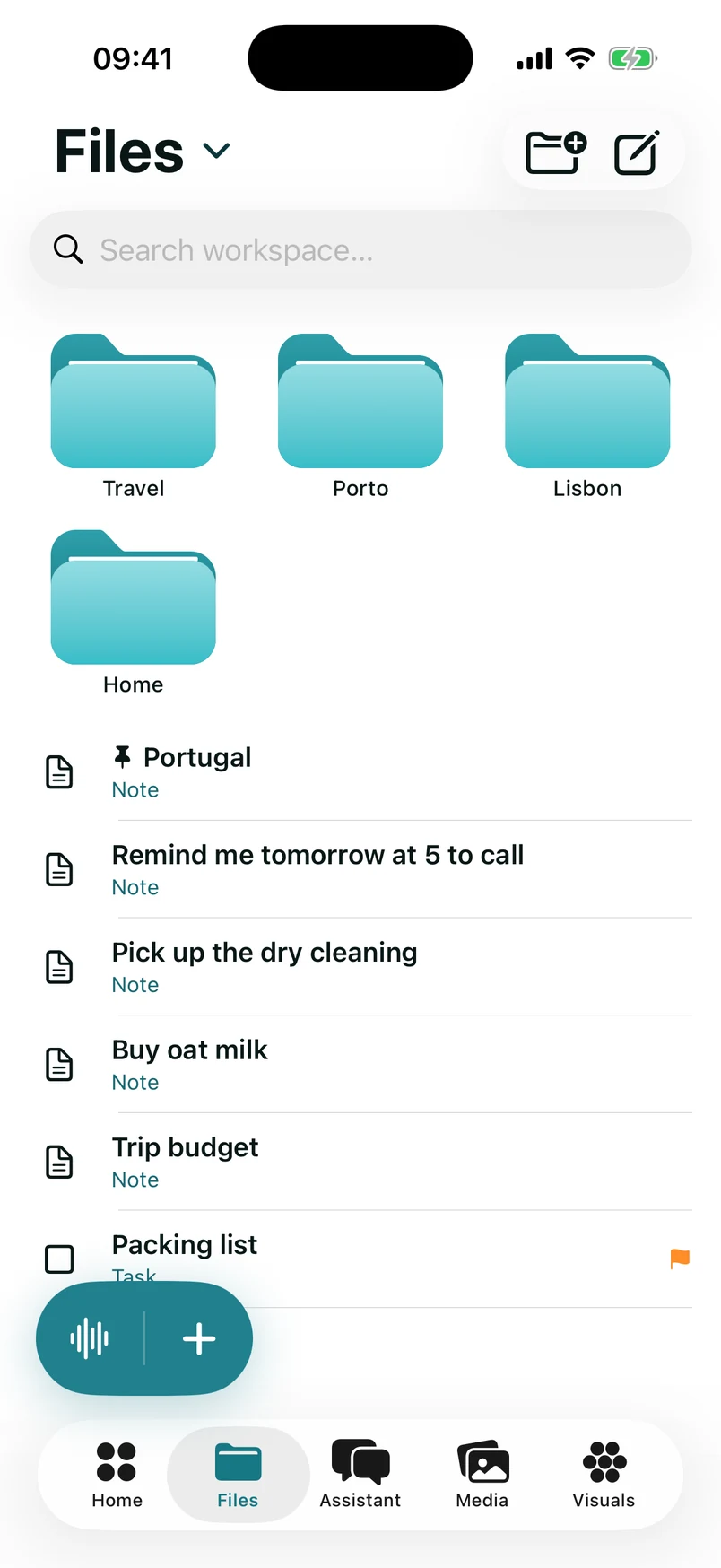
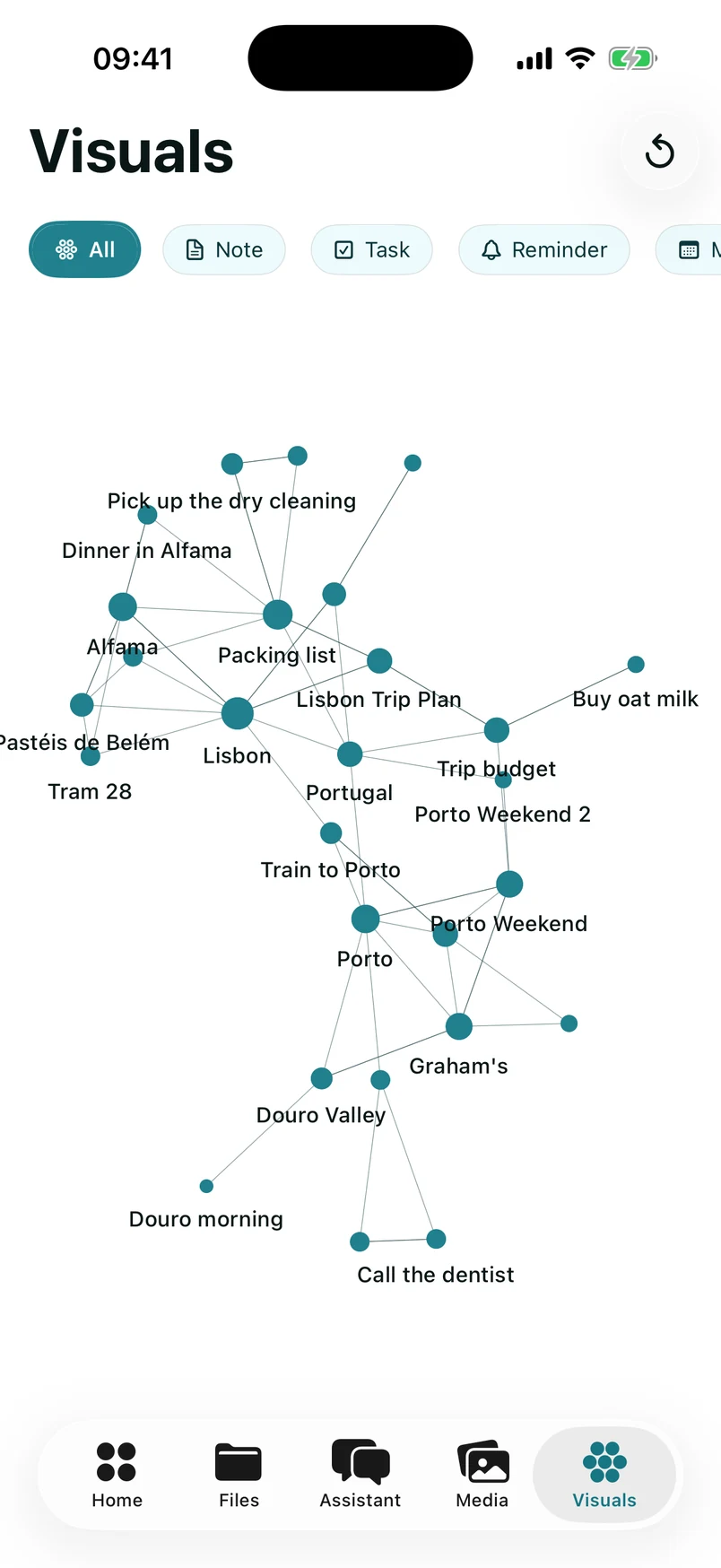
See how your ideas connect.
Visuals draws every link between your notes, tasks and reminders. Two projects you’ve been writing about separately turn out to be the same idea. A forgotten note shows up right where it belongs.
Ask your vault.
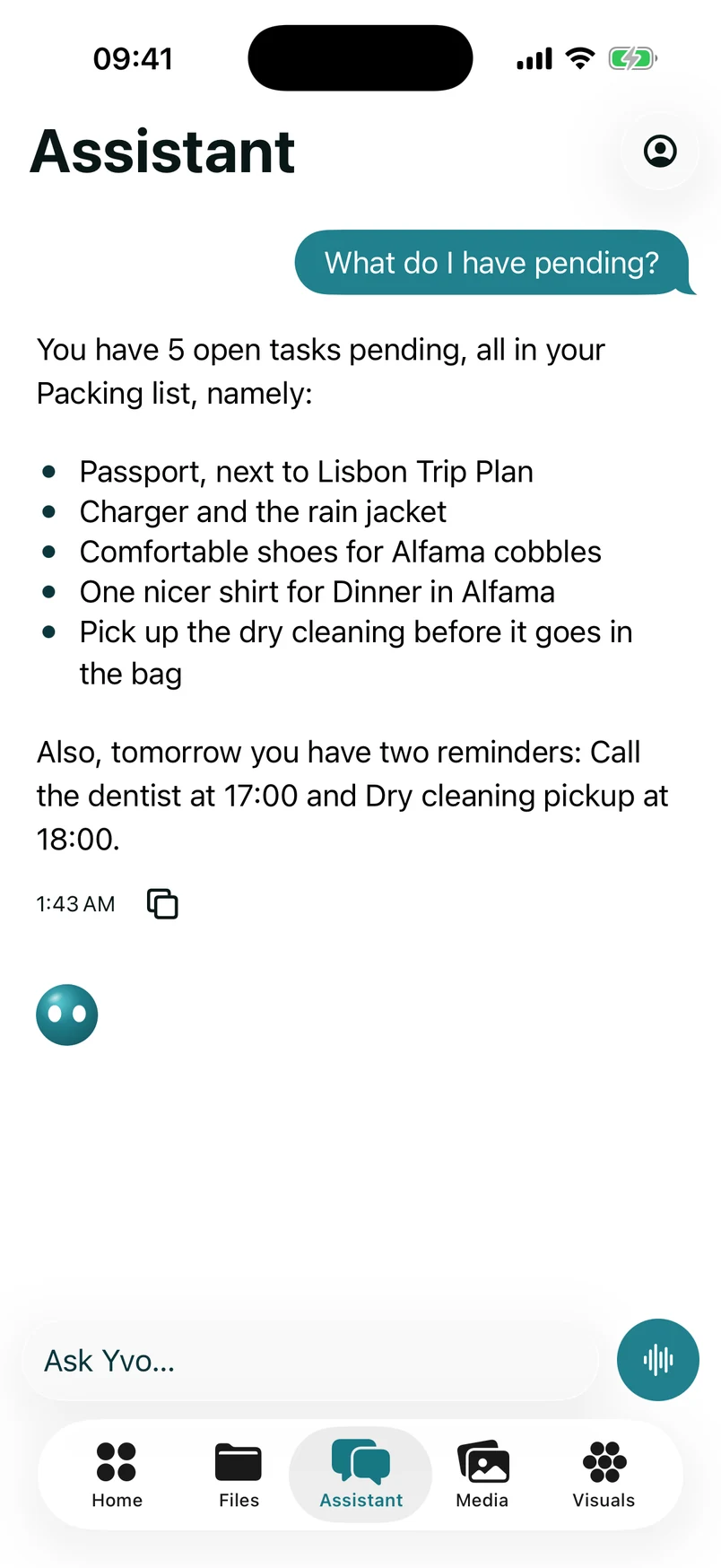
Ask “What do I have pending?” and the Assistant answers from your own notes, down to tomorrow’s reminders. It sums up what’s still open and drafts new notes for you. Search works the same way: type to find a file, or ask Yvo.
To answer, the Assistant sends your question and the notes it opens to our AI provider. Nothing else leaves your phone.
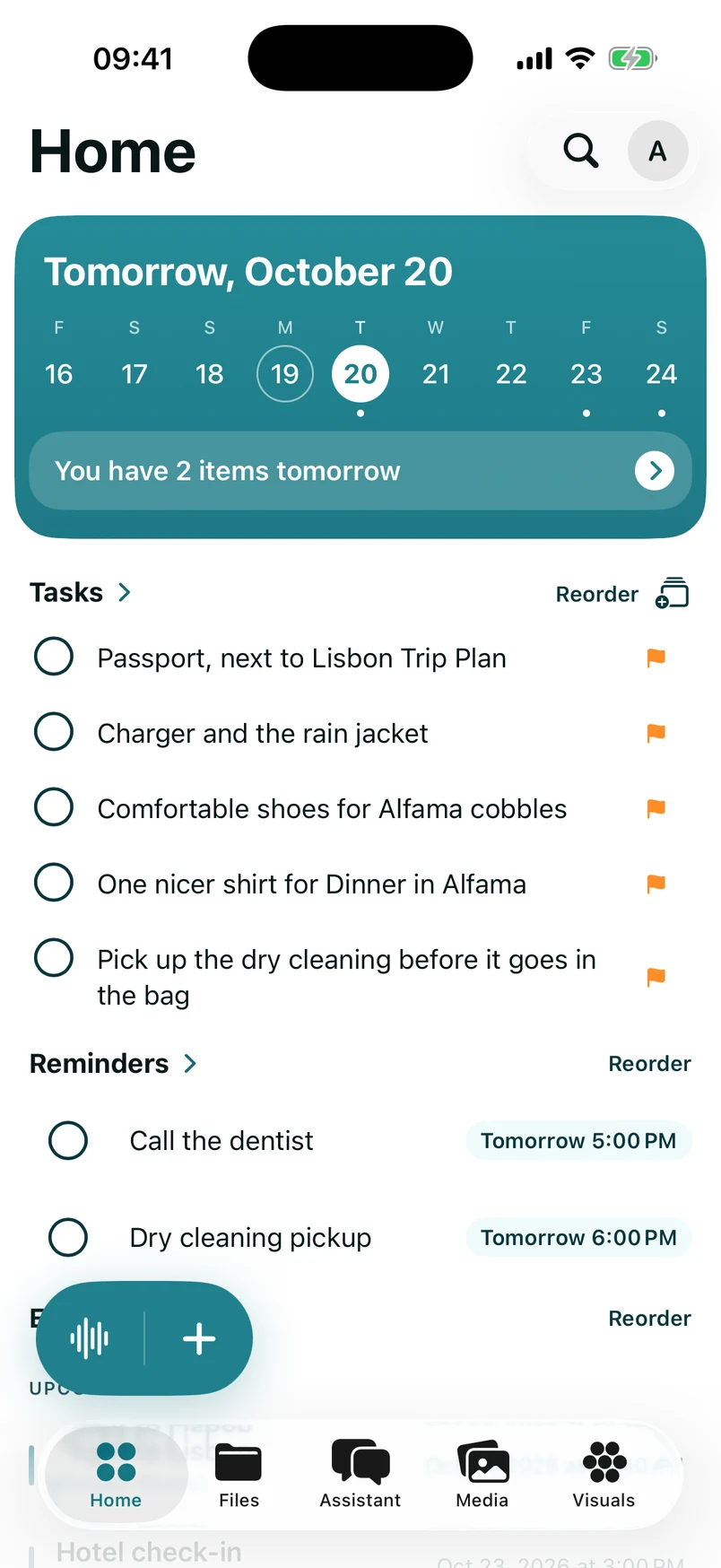
All of it, in fifteen seconds.
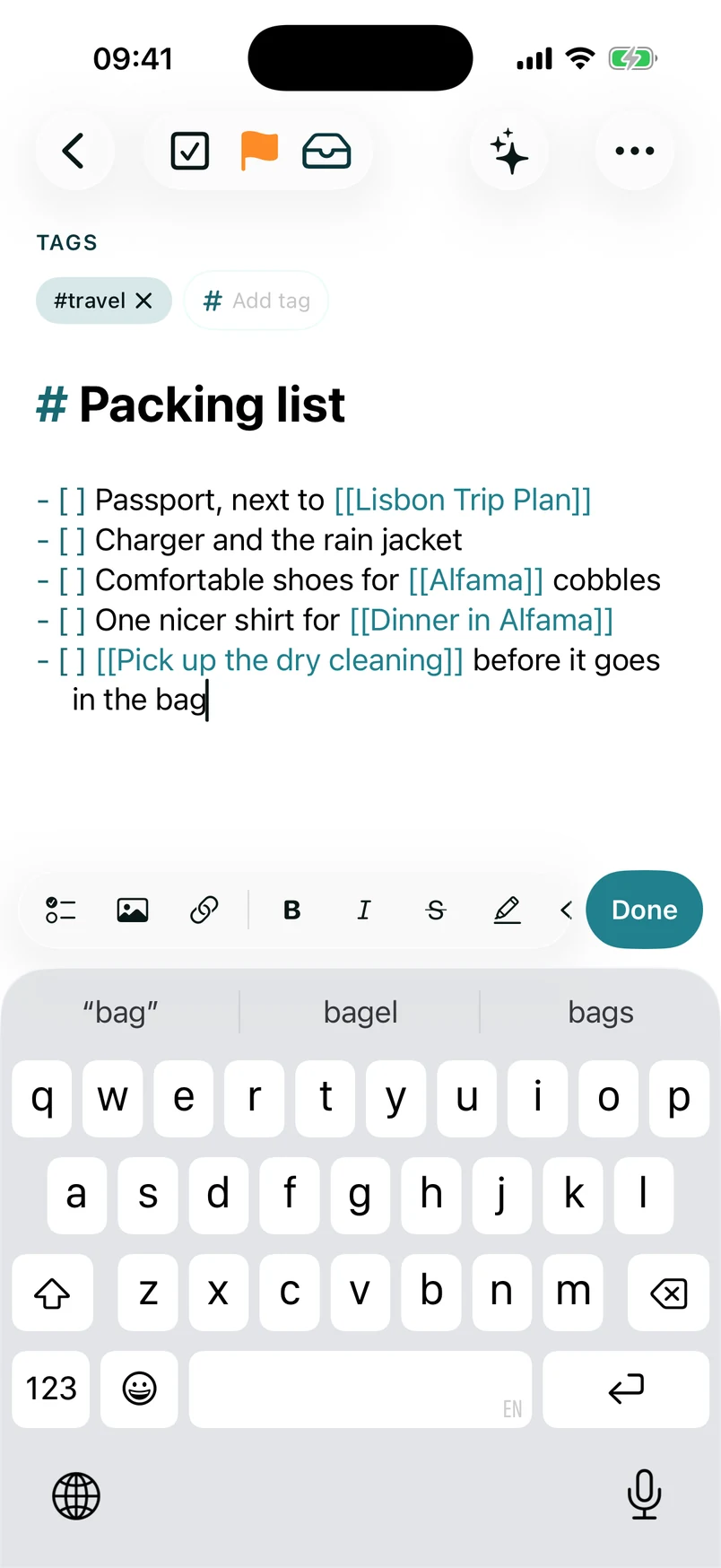
Home, the Visuals graph, a packing list, the Assistant and tomorrow’s plan. One phone, up close.
Plain files, kept on your phone.
Yvo writes ordinary Markdown into a folder on your iPhone, or into an iCloud Drive folder you choose. Open it in the Files app or in Obsidian. If you ever leave, your notes stay right where they are.
- Travel
- Packing list.md
- Trip budget.md
- Lisbon
- Lisbon Trip Plan.md
- Alfama.md
- Porto
- Porto Weekend.md
---
tags: [travel]
---
# Packing list
- [ ] Passport
- [ ] Charger, rain jacket
- [ ] Shoes for [[Alfama]]
- [ ] Shirt for dinner

Trip: [[Lisbon Trip Plan]]
Plain Markdown
Ordinary files that any Markdown app can open. No lock-in.
Stored where you choose
On your iPhone or in iCloud Drive. We don’t host your notes.
No account to start
Every free feature works without signing in.
Your voice stays put
Speech is transcribed on your device. Audio is never uploaded.
Zero tracking
No ads, no analytics SDKs and no cross-app tracking.
AI only when you ask
Premium AI sends just the text you’re working with, only when you use it.
What people say (actually, AI generated)
“I talk to it on the walk home. By the time I’m at the door, the groceries are on a list and Thursday’s dentist appointment is on my calendar.”
“My notes are plain Markdown files in a folder I can open anywhere. That’s why I trusted it with everything else.”
“Quick Add understood ‘next Monday at 4’ on the first try. I stopped opening three apps to write one thing down.”
“The graph showed me that two projects I’d been writing about separately for months were really the same idea.”
“I share links into it all day. Being able to find them again a month later is what keeps me using it.”
“I asked the assistant what I’d promised Maria last week, and it answered from my own notes. That’s when it clicked.”
Free to start. Premium when you want AI.
The same private vault on every plan.
Free
€0forever
Core Yvo. No account required.
- Notes, tasks, reminders and events
- Wiki, calendar and archive
- Quick Add by typing or on-device speech
- Plain Markdown vault on your device
Premium Monthly
€9.99/ month
Cancel anytime.
- Everything in Free
- The Assistant and Smart Compose
- Cloud sorting, priorities and Visuals
- Share in from any app, voice memo import
Premium Yearly
Save 25%€89.99/ year
€7.50 a month, billed yearly.
- Everything in Premium Monthly
- One payment for the whole year
- Cancel anytime
Premium is billed through the App Store and needs a Yvo account. Cancel anytime in your Apple Account settings.
Start remembering more.
Join the waitlist and be first to know when Yvo launches on iPhone.
You're on the list.
Preview only. No email was sent.
We only email you about launch and early access.